Events
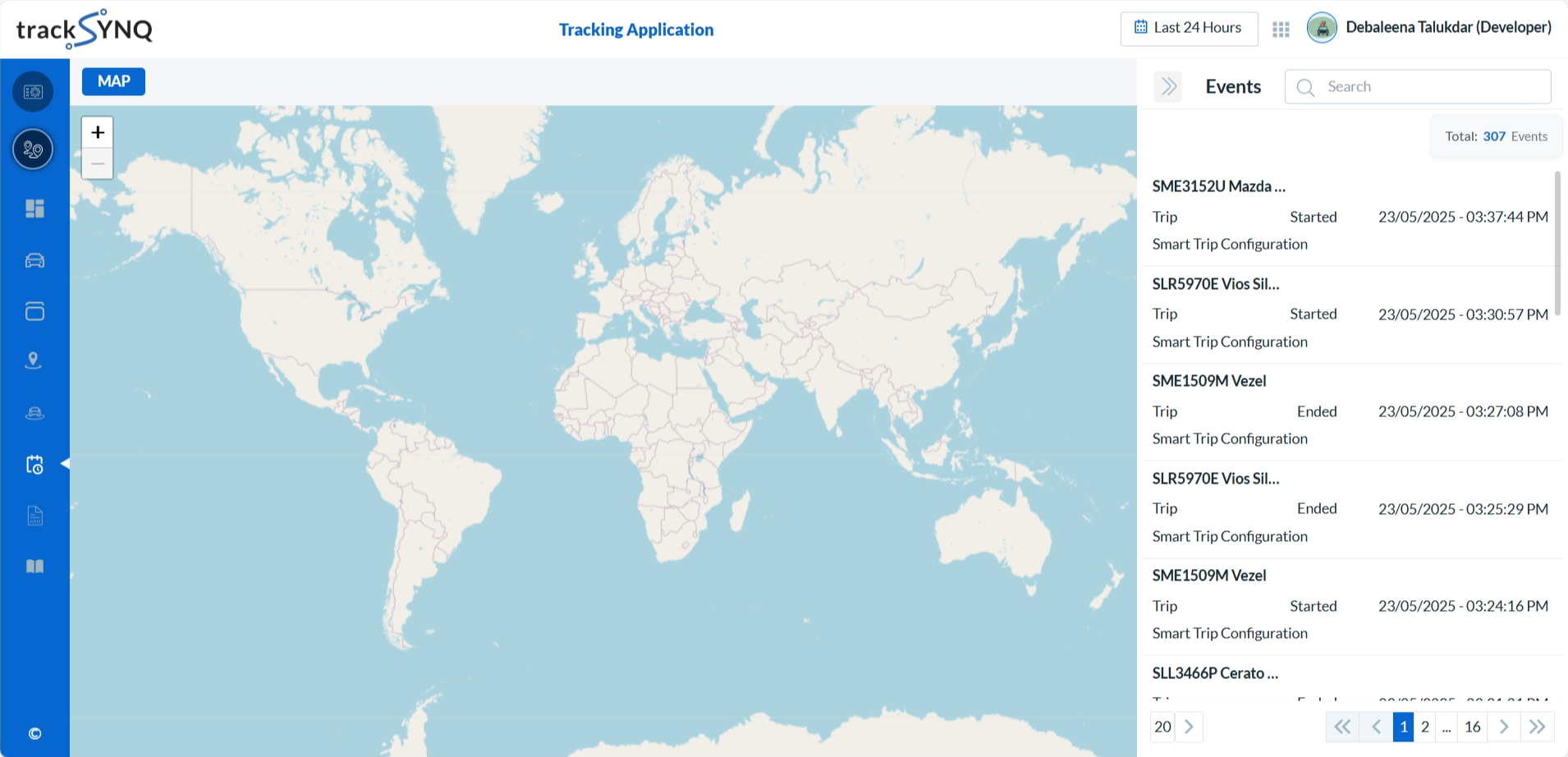
After logging into the Tracking Portal, select Events from the left navigation panel. This page displays a comprehensive list of all vehicle events along with detailed information. When an event is selected, the vehicles's event get displayed on the map.
To be Updated...
Overview
The Events section provides a comprehensive overview of all the events across your fleet. Some of its key features include:
- Filtering of the events by time or date range. Change Time Range
- Two layout choices for a customizable viewing experience.
Events List
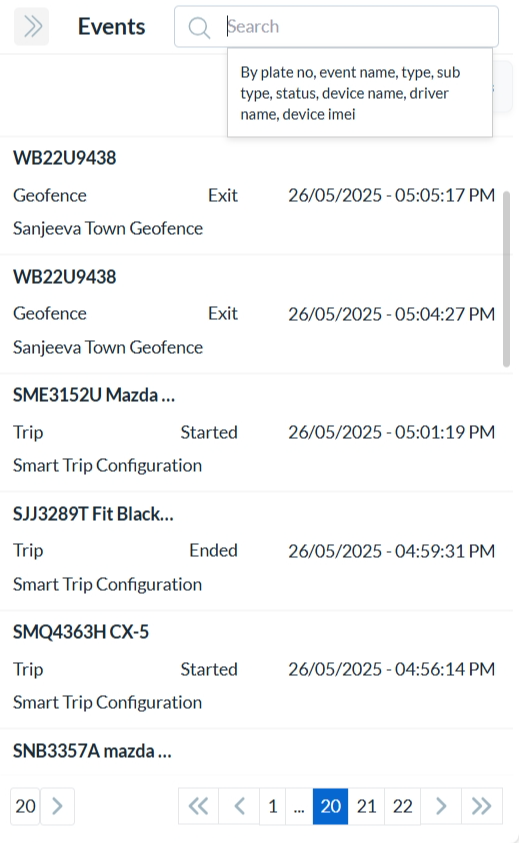
All the events (completed or in progress) are listed, with the most recent event displayed first.
Pagination controls at the bottom of the page allow you to navigate through the list.
You can search events by:
Vehicle - Plate Number
Device - Name or IMEI
Driver - Name (if available)
Event - Name, Type, Sub-Type or Status
Click any event to view its detailed information.
Each event from the list displays:
The name of the event and the vehicle's plate number associated with it.
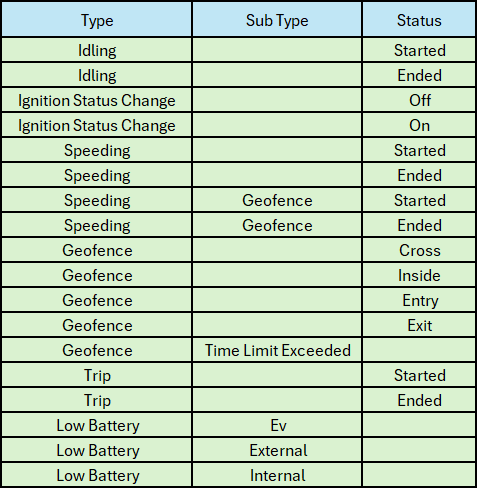
The event type (Idling, Ignition Status Change, Speeding, Geofence, Trip, Low Battery, Offline, Custom), sub-type and status.
The time at which the event occurred.
The list of possible events are given below
Events Map
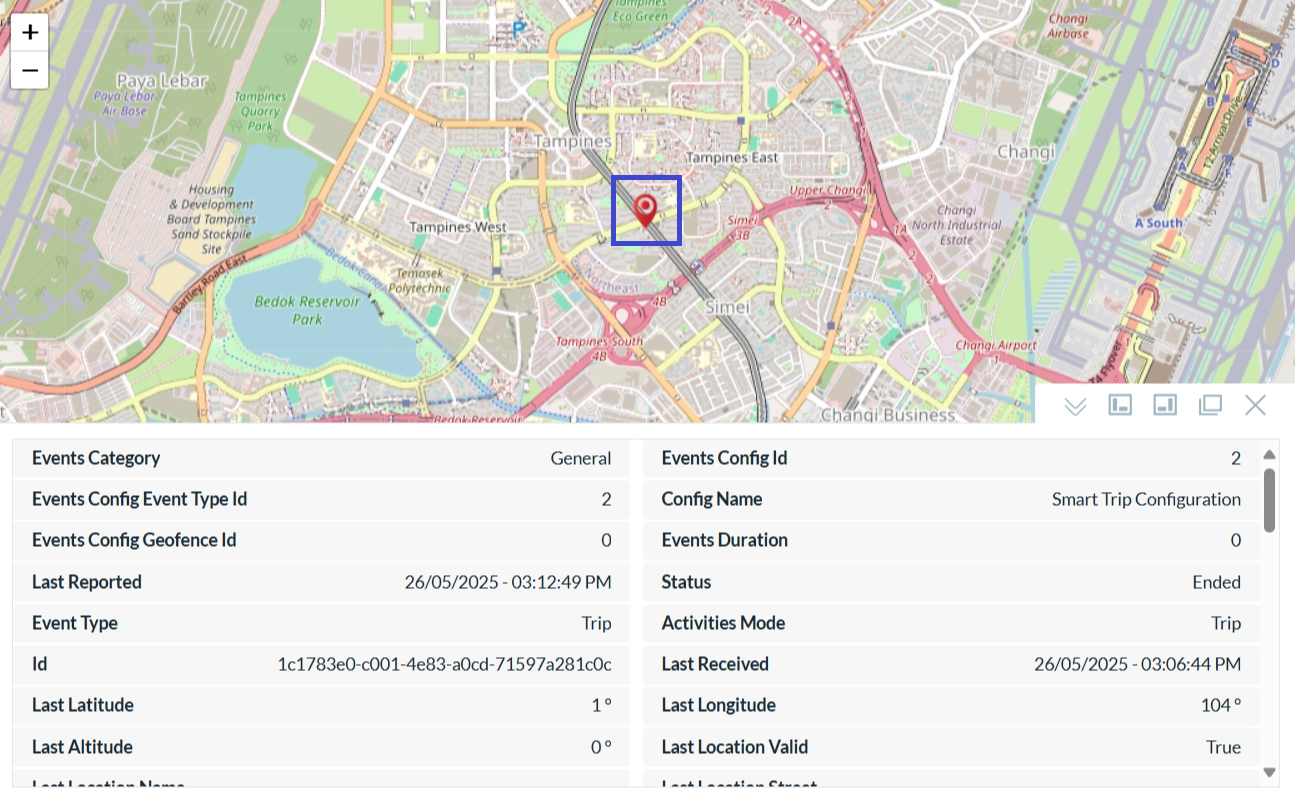
- When we select a event from the list, the event gets displayed on the map with the event details listed below.
- The red icon outlined with a blue box indicates the exact location of the event.
- Hovering over the event icon displays the latitude and longitude of that location.
- Five map view options to suit different user preferences.
To be Updated...