Dashboard
Displays the quantitative details of assets and configuration settings.
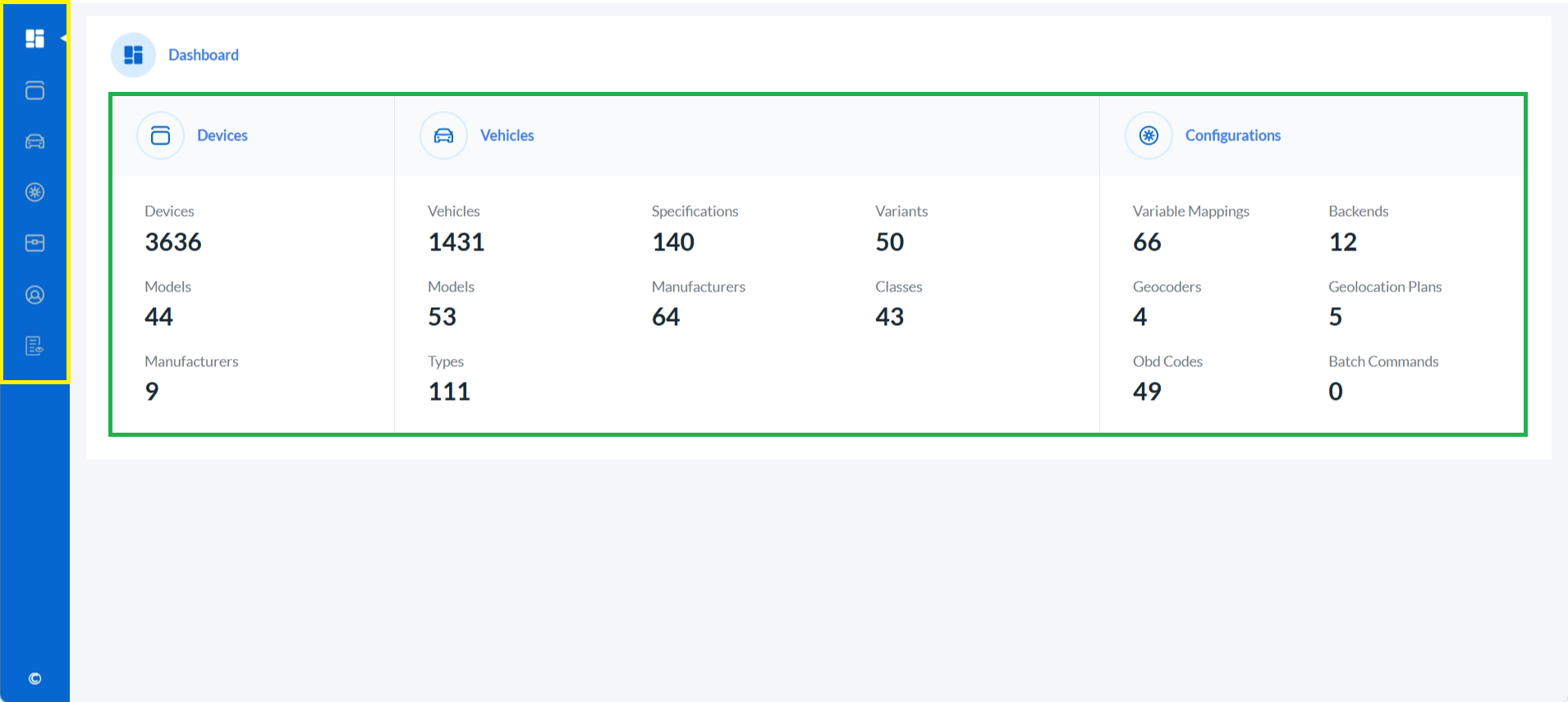
Use the left-hand navigation menu to access key sections such as Devices, Vehicles, Configurations, Clients, Admin Users, and Audit Trail (highlighted in yellow for easy identification).
View the total count of all Assets (i.e., Devices and Vehicles) and Configurations. These counts are interactive and clickable, allowing quick navigation to detailed views(highlighted in green for easy identification).